
BJJ Weight Cut Calculator — Hit Your Division Without the Guesswork
Short answer: Mat Quest’s weight-cut tool logs daily weigh-ins, shows a rolling 7-day average, and tells you "you’re X lbs from your gi limit with Y days to go" — tied to your next tournament’s weight class and date.
At IBJJF events you weigh in in your gi right before your first match, with one attempt — miss weight and you’re disqualified. Other organizations’ rules differ, so check your event’s weigh-in policy. Source: IBJJF weigh-ins. Mat Quest puts the math in the same app that already knows your tournament date.
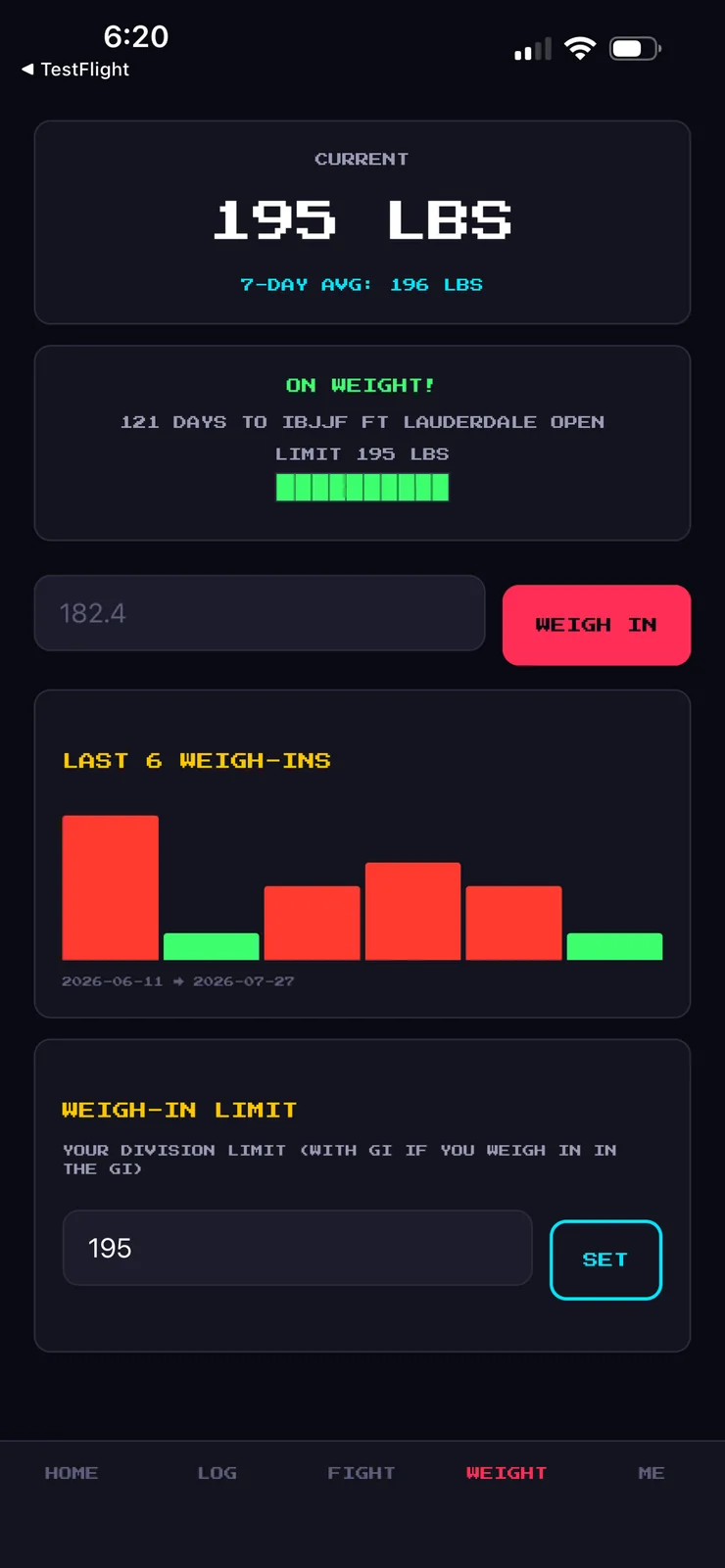
How Mat Quest’s weight cut tool works
- Add your tournament with its weight class and date.
- Weigh in daily.
- Watch the trend, not the day. The rolling 7-day average smooths out daily swings.
- Read the countdown. "You’re X lbs from your gi limit with Y days to go."
Why the 7-day average matters
Scale weight bounces day to day. One heavy morning is noise. The 7-day average is the signal: is the line actually moving toward the limit? Log daily, judge weekly.
Same-day weigh-ins
If your event weighs in right before you compete, the number you walk in at is the number you fight at. That rewards arriving close to your limit. See how to track a 3-week cut.
Division limits: gi vs. no-gi, adult vs. masters
At IBJJF you weigh in wearing the gi. Other organizations’ rules differ, so check your event’s weigh-in policy.
Daily weigh-in habits
- Same time, same scale, same conditions.
- Log every day, including the bad ones. The average needs data.
- Keep your tournament countdown in view so days-to-go is always clear.
Mat Quest tracks the numbers; it doesn’t plan your cut. Work with a coach or registered dietitian on how you make weight.